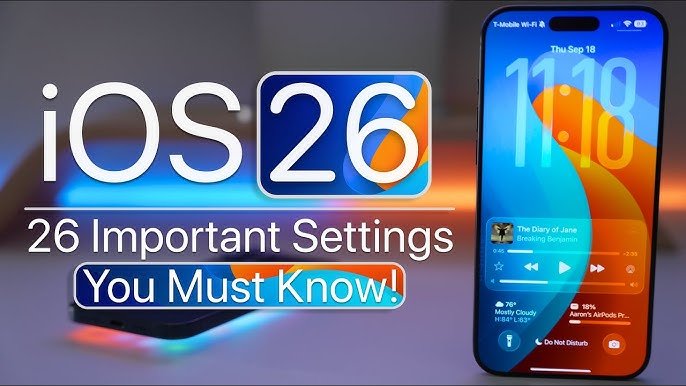
Smartphones have become an integral part of our daily lives. From communicating with friends to managing work tasks, your smartphone is your constant companion. But how many of us actually know how to optimize our devices to their full potential? In this article, we will explore important smartphone settings you should know that can enhance performance, security, and convenience.
1. Screen Settings: Optimize Your Display for Comfort
Your smartphone’s screen is the most used interface, and adjusting its settings can make a big difference.
Brightness and Auto-Brightness: Reducing screen brightness saves battery life. Enabling auto-brightness allows your phone to adjust brightness based on ambient light.
Night Mode / Blue Light Filter: Using night mode reduces eye strain during nighttime use. This is one of the most overlooked important smartphone settings you should know.
Screen Timeout: Adjusting screen timeout ensures your phone doesn’t stay active unnecessarily, saving battery life.
Pro Tip: On most smartphones, you can customize display size and font size for a more comfortable viewing experience.
2. Battery Optimization Settings
Battery life is crucial, especially for users who rely heavily on their devices.
Battery Saver Mode: Activating battery saver reduces background activity to extend usage time.
App-Specific Battery Settings: Many apps run in the background unnecessarily. Check your phone’s battery usage menu and restrict apps that drain power.
Adaptive Battery: Some smartphones have adaptive battery features that prioritize power for frequently used apps.
Understanding these options is essential and ranks among the important smartphone settings you should know.
3. Security Settings: Protect Your Data
Smartphone security is more critical than ever. Cyber threats, malware, and theft can compromise your personal information.
Screen Lock Options: Use a strong PIN, pattern, fingerprint, or facial recognition. Biometric authentication adds an extra layer of security.
Find My Device: Enable this feature to locate, lock, or erase your phone if it’s lost.
App Permissions: Review app permissions to ensure apps only access necessary data.
These are crucial important smartphone settings you should know to keep your data safe.
4. Connectivity Settings: Manage Your Network Smartly
Smartphone connectivity settings affect both performance and data usage.
Wi-Fi and Mobile Data Management: Automatically connect to trusted Wi-Fi networks and monitor data usage.
Bluetooth and NFC Settings: Keep Bluetooth off when not in use to conserve battery. NFC is useful for contactless payments but should be managed carefully.
VPN Configuration: For privacy-conscious users, enabling a VPN enhances security on public networks.
Optimizing connectivity is one of the key important smartphone settings you should know for efficient daily usage.
5. Notification Settings: Reduce Distractions
Constant notifications can be overwhelming and decrease productivity.
Do Not Disturb Mode: Schedule DND during work or sleep hours.
App-Specific Notifications: Customize notifications for each app to reduce interruptions.
Priority Notifications: Some phones allow you to mark certain notifications as priority while muting others.
Mastering notifications is another set of important smartphone settings you should know to stay focused.
6. Storage Management: Keep Your Device Running Smoothly
Running out of storage can slow your smartphone down significantly.
Storage Analyzer: Check which apps or files occupy the most space.
Cloud Backup: Move photos, videos, and documents to cloud storage to free up internal memory.
Automatic Deletion: Enable automatic deletion of temporary files or old downloads.
Learning storage management techniques is essential among the important smartphone settings you should know for smooth operation.
7. Accessibility Settings: Personalize Your Experience
Accessibility settings aren’t just for users with disabilities—they can enhance usability for everyone.
Voice Assistance: Activate Google Assistant, Siri, or other voice commands for hands-free control.
Text-to-Speech and Magnification: Useful for reading notifications or navigating your device.
Custom Gestures: Many smartphones allow custom gestures to perform quick actions.
These personalized options are also part of the important smartphone settings you should know that improve efficiency.
8. Camera Settings: Capture Better Photos
Modern smartphones have advanced cameras, but most users never explore camera settings.
Resolution and Aspect Ratio: Adjust camera resolution to balance quality and storage.
HDR and Night Mode: High Dynamic Range (HDR) and Night Mode improve photo quality in challenging lighting.
Grid Lines and Leveling Tools: Helps frame shots more professionally.
Mastering these settings ranks among the important smartphone settings you should know for photography enthusiasts.
9. Sound and Audio Settings
Optimizing audio settings can enhance calls, media playback, and overall device experience.
Volume Levels: Separate volume levels for media, notifications, and alarms.
Equalizer Settings: Customize audio output for music, podcasts, or videos.
Vibration and Haptics: Adjust vibration intensity for notifications and feedback.
Sound settings are simple but impactful important smartphone settings you should know.
10. App and System Updates
Keeping your smartphone updated ensures performance, security, and access to new features.
Automatic Updates: Enable automatic system and app updates to avoid missing important patches.
Beta Programs: Some smartphones offer beta updates to access new features early.
Update Notifications: Monitor for critical security updates to protect your data.
Regularly updating your device is one of the important smartphone settings you should know for optimal performance.
11. Privacy Settings: Take Control of Your Data
Privacy settings are critical in 2026 as personal data has become a valuable asset.
Location Services: Limit which apps can access your location.
Advertising Preferences: Adjust ad tracking and personalization settings.
Browser Privacy: Enable features like tracking protection and private browsing.
Privacy management is an essential part of the important smartphone settings you should know for every user.
12. Smart Features and Automation
Modern smartphones come with smart features that save time and effort.
Automation Tools: Use routines, triggers, or shortcuts to automate repetitive tasks.
Voice Commands: Integrate voice commands to control smart home devices.
AI Suggestions: Some devices provide predictive app usage or shortcuts.
Exploring these smart features falls under important smartphone settings you should know that enhance productivity.
13. Backup and Restore Settings
Data loss can happen unexpectedly, so backup settings are crucial.
Cloud Backup: Google Drive, iCloud, or other cloud services ensure your data is safe.
Automatic Backup: Enable automatic daily or weekly backups.
Restore Settings: Know how to restore your phone quickly after reset or replacement.
Backup management is one of the important smartphone settings you should know to avoid losing data.
14. Developer Options (Advanced Users)
For tech-savvy users, developer options unlock advanced settings.
USB Debugging: Useful for troubleshooting and app development.
Animation Scales: Reduce or disable animations to speed up performance.
Background Process Limit: Control how many apps run in the background for better speed.
Even though these are advanced, they remain important smartphone settings you should know for power users.
Conclusion
Your smartphone can be much more than just a communication tool. By mastering the important smartphone settings you should know, you can enhance performance, protect your data, and make your device truly work for you. From display and battery optimization to security, privacy, and automation, every setting contributes to a better overall experience.
Take some time today to explore these settings, and you’ll notice a significant difference in your daily smartphone usage. After all, knowing your device inside out is the first step toward smarter and more efficient mobile living.